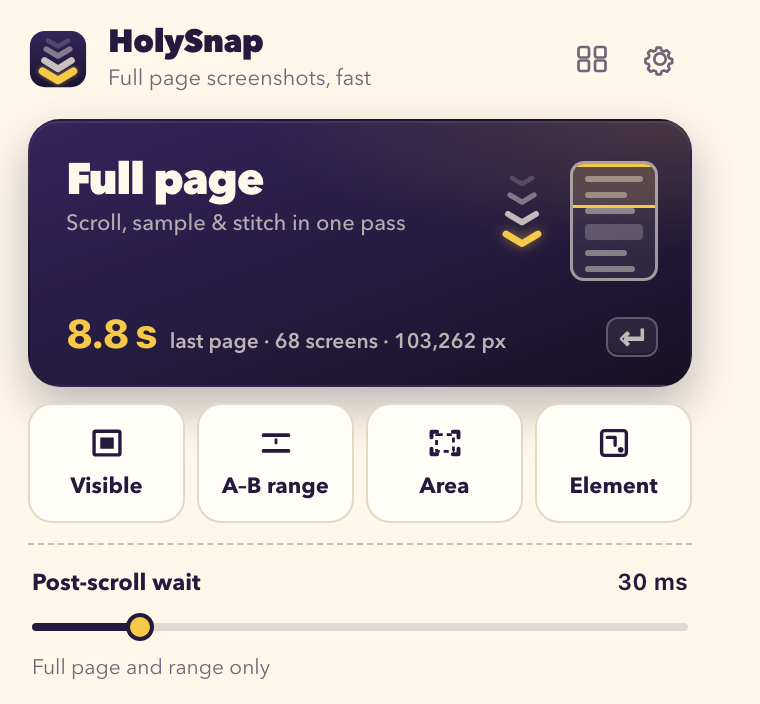
Full page
The entire scrolling page in one image — chats, docs, feeds and dashboards, top to bottom.
68 → 1screens stitched into one PNG
Chrome extension · Five capture modes
HolySnap scrolls, samples and stitches any webpage into one crisp PNG — and encodes it while the page is still scrolling. Even a page 100,000 pixels tall.
Built for speed
Most screenshot extensions take one picture per screen, and Chrome lets them take only two per second. HolySnap watches the tab as a live stream instead — and writes the PNG while it scrolls.
HolySnap: measured full-page capture of ollama.com, Chrome 154, Apple M1 Pro, macOS 14, 2× output, default 30 ms wait — best of five runs (8.8–11.6 s). Times vary with the page and device. “One screenshot per screen”: the minimum for 68 screens under Chrome’s captureVisibleTab limit of 2 calls per second, before any stitching.
One live stream of the tab — no per-screen screenshot calls, no throttling.
Each screen is taken the moment it settles — 30 ms by default.
Overlaps are measured and removed; sticky headers and bars appear once, not on every screen.
PNG rows are written while later screens are still arriving, so the file is ready seconds after the last scroll.
Five modes
From a whole 70-screen thread to a single button — every mode saves a local PNG you can preview, copy, download or export as PDF.
The entire scrolling page in one image — chats, docs, feeds and dashboards, top to bottom.
Mark where it starts, scroll, mark where it ends. Capture exactly that stretch — nothing above, nothing below.
What's on screen, right now.
Drag a rectangle; get exactly that.
Click a card, a chart, a table.
Built for the hard pages
Turn on Unroll scrolling panels to expand in-page scroll areas — like long chat threads — to their full height.
Fixed headers, toolbars and footers are measured, so they show up once — not on every screen of the stitch.
Very tall pages stream straight into the PNG instead of one giant canvas, so they don't run out of memory.
Start a full-page capture without opening anything.
AltShiftLPreview first
Every capture opens in its own preview with the measured time. Look it over, then take it where it needs to go.
Private by design
Scrolling, stitching and PNG encoding all run locally — the heavy lifting in WebAssembly, right in the browser.
No sign-up, no email, no password. Install it and capture.
No analytics, no ads, no page URLs or screenshots sent anywhere. Ever.
The one thing that does go online: a random, anonymous activation code, so HolySnap can check your Pro plan and count your free captures. Payments are handled by Paddle. Read the privacy policy →
Pricing
Try Full page and A–B on 10 real captures — no time limit, no card. Upgrade from inside the extension when you're ready.
Forever, for the everyday captures.
Less than $1 a month, billed yearly. Cancel anytime.
Pay once. Yours for good.
Prices in USD; tax is calculated at checkout. Secure checkout by Paddle, our reseller and merchant of record.
Questions
No. Pages, screenshots and URLs are processed and stored only in your browser. The extension sends just an anonymous activation code to check your plan.
Full page and A–B range captures count toward the 10; failed or cancelled captures don't. There's no time limit. Visible area, Select area and Select element are always free.
Yes. Your activation code is in Settings at the bottom of the HolySnap popup. Enter it under “Already purchased?” on the other computer to restore Pro.
Your existing captures stay — you can still view, copy, download and delete them. Only new Full page and A–B captures need Pro again.
Chrome doesn't let extensions capture its own pages, such as chrome:// pages and the Chrome Web Store. Everything else on the web is fair game.
Email hello@holysnap.app. Purchases are processed by Paddle, so you can also reach Paddle through the link in your receipt.

The whole page, in one pass. Free to start.